Robot Body Operation:
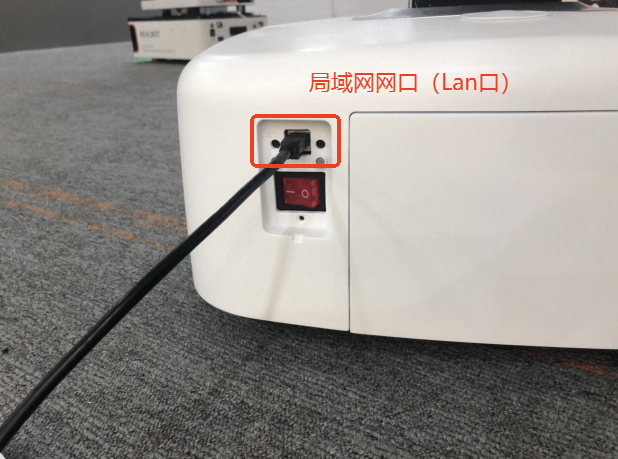
Chassis External Interfaces Power On/Off
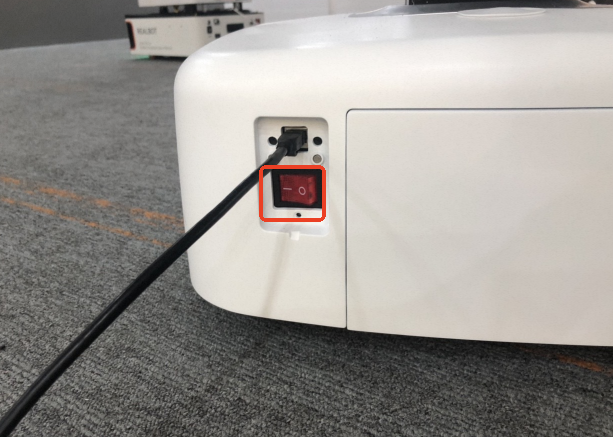
The power button is located at the lower left of the chassis, as shown below. When a full restart of the robot is required, press this button: pressed down it powers on, released it powers off.
Emergency Stop
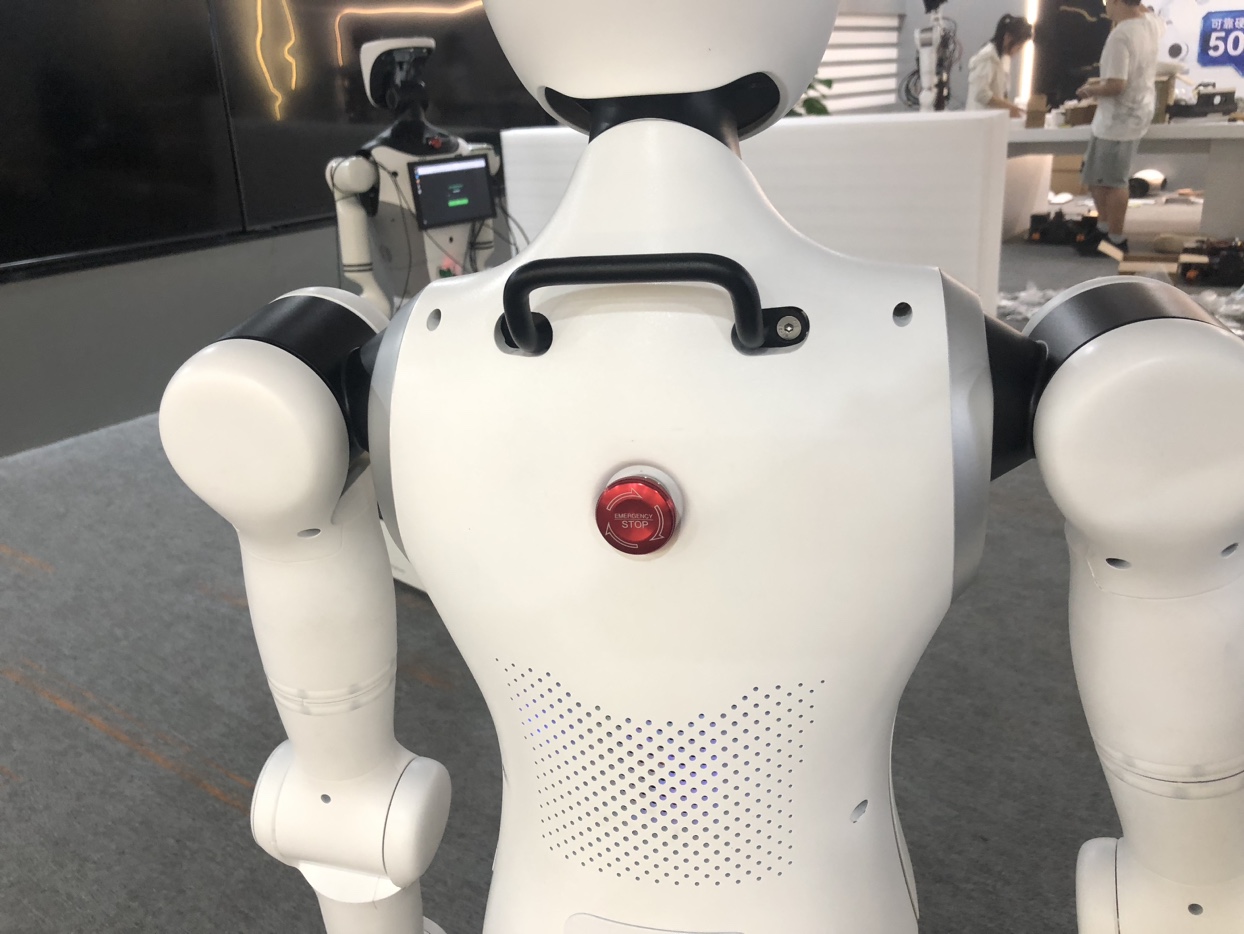
Emergency stop: While controlling the actual motion of the robot, press the [Emergency Stop] button quickly in an emergency to stop the robot immediately. This cuts off the 48V power supply, de-energizing the robot's waist, lifting column, robotic arms, and other parts.
Restore power: After confirming that the hazard has been removed, rotate the [Emergency Stop] button in the direction of the arrow on it to restore power to the robot.
As shown below:
Charging
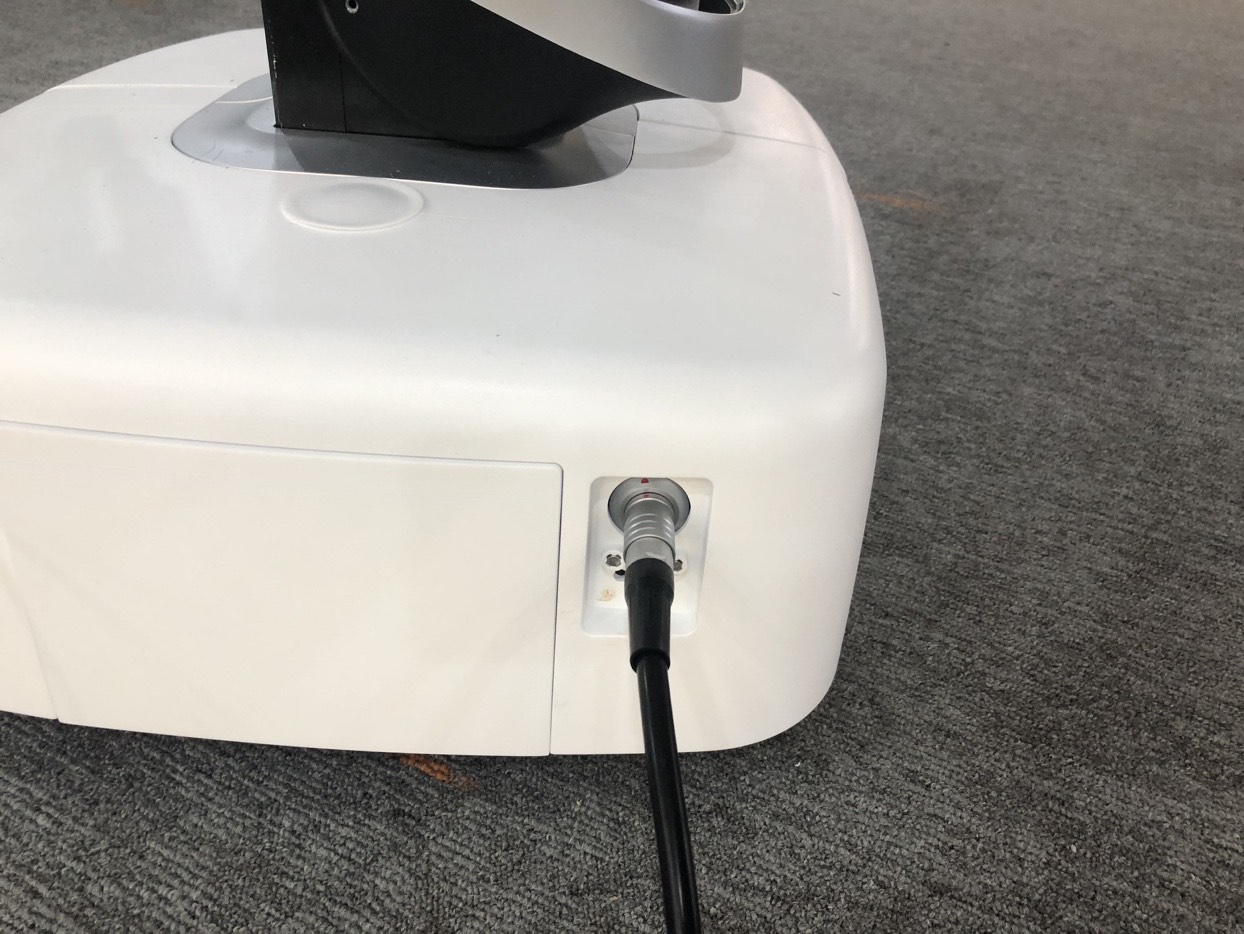
At the lower right of the chassis, the socket where the cable is plugged in the figure below is the power inlet. Plug the power cord into this position to charge the robot's battery.
Ethernet Port
The chassis is pre-equipped with a LAN port for connecting a local computer, as well as the homogeneous arm or servo arm used for local teleoperation.