

JSON协议:
末端工具指令集(选配) 提醒
使用末端执行器控制命令前,请先完成以下基础准备工作
- 供电准备:末端端口需主动配置12V/24V输出电压,否则末端执行器无供电,指令无物理执行基础;
- 通信准备:末端执行器与机械臂的通信协议(波特率等)需匹配,否则指令无法被末端执行器识别。
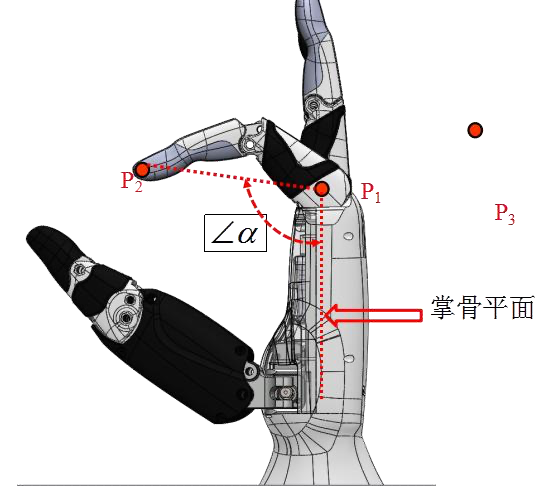
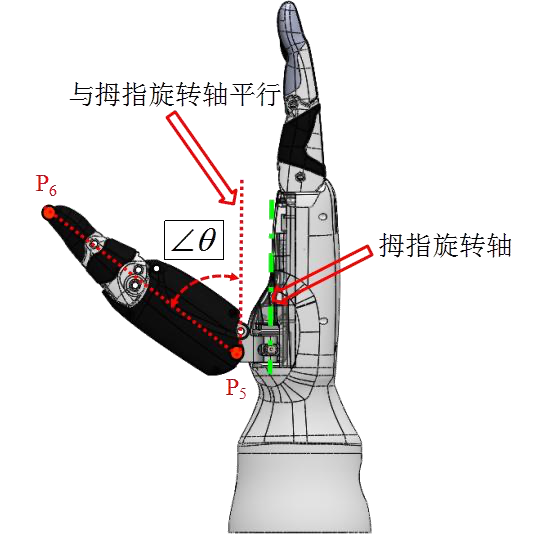
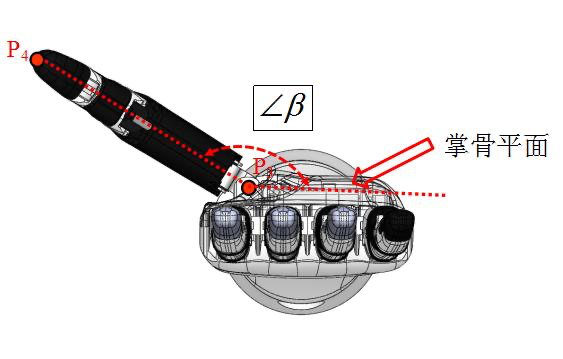
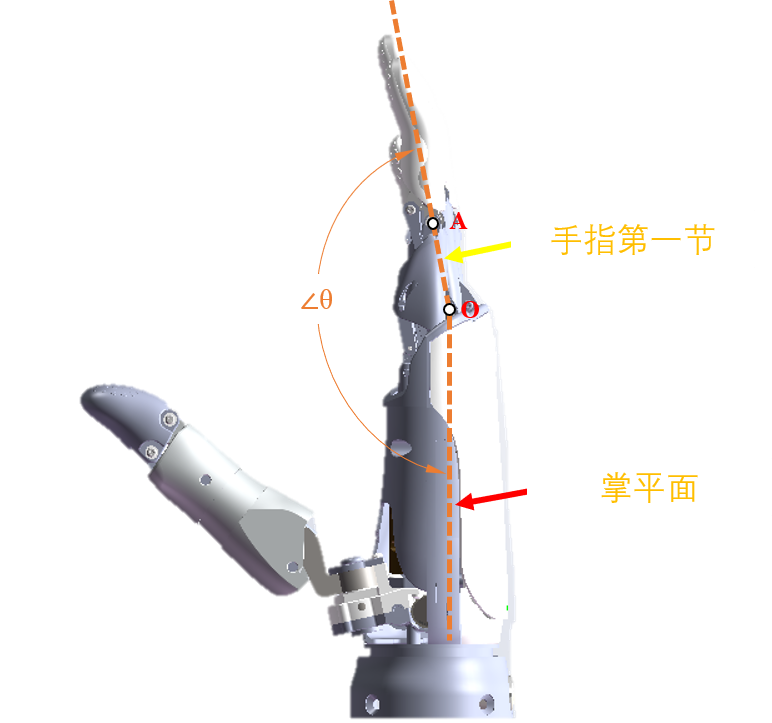
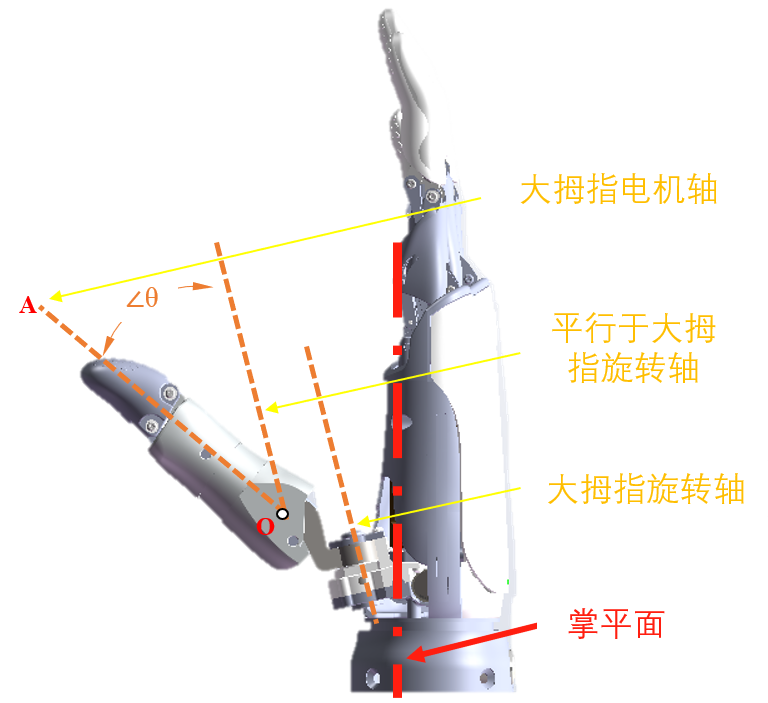
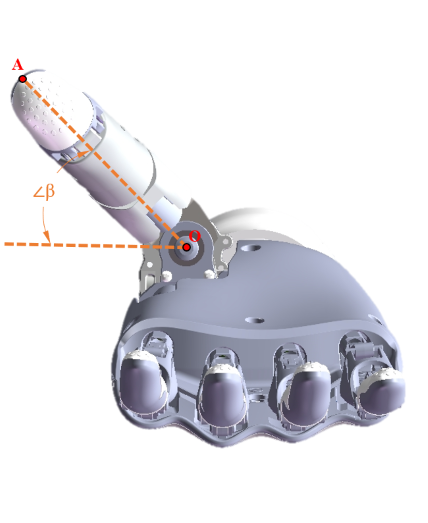
设置末端生态协议模式set_rm_plus_mode
设置末端生态协议模式,需要根据接口的波特率开启协议。
- 输入参数
| 功能描述 | 类型 | 说明 |
|---|---|---|
set_rm_plus_mode | string | 设置末端生态协议。 |
mode | int | 0-禁用协议; 9600-开启协议(波特率9600); 115200-开启协议(波特率115200); 256000-开启协议(波特率256000); 460800-开启协议(波特率460800)。 |
- 代码示例
输入
设置末端生态协议模式。
{"command":"set_rm_plus_mode","mode":9600}输出
配置成功:
{
"command":"set_rm_plus_mode",
"set_state":true
}配置失败:
{
"command": "set_rm_plus_mode",
"set_state":false
}查询末端生态协议模式get_rm_plus_mode
- 输入参数
| 功能描述 | 类型 | 说明 |
|---|---|---|
get_rm_plus_mode | string | 获取末端生态协议模式。 |
- 输出参数
| 功能描述 | 类型 | 说明 |
|---|---|---|
get_rm_plus_mode | string | 获取末端生态协议模式。 |
mode | int | 0-禁用协议; 9600-开启协议(波特率9600); 115200-开启协议(波特率115200); 256000-开启协议(波特率256000); 460800-开启协议(波特率460800)。 |
- 代码示例
输入
获取末端生态协议模式
{"command":"get_rm_plus_mode"}输出
{
"command":"get_rm_plus_mode",
"mode":9600
}设置触觉传感器模式set_rm_plus_touch
- 输入参数
| 功能描述 | 类型 | 说明 |
|---|---|---|
set_rm_plus_touch | string | 设置触觉传感器开关。 |
mode | int | 0-关闭触觉传感器; 1-打开触觉传感器(返回处理后数据); 2-打开触觉传感器(返回原始数据)。 |
- 代码示例
输入
设置触觉传感器开关。
{"command":"set_rm_plus_touch","mode":0}输出
配置成功:
{
"command":"set_rm_plus_touch",
"set_state":true
}配置失败:
{
"command":"set_rm_plus_touch",
"set_state":false
}查询触觉传感器模式get_rm_plus_touch
- 输入参数
| 功能描述 | 类型 | 说明 |
|---|---|---|
get_rm_plus_touch | string | 获取触觉传感器模式。 |
- 输出参数
| 功能描述 | 类型 | 说明 |
|---|---|---|
get_rm_plus_touch | string | 获取触觉传感器模式。 |
mode | int | 0-关闭触觉传感器; 1-打开触觉传感器(返回处理后数据); 2-打开触觉传感器(返回原始数据)。 |
- 代码示例
输入
获取触觉传感器模式
{"command":"get_rm_plus_touch"}输出
{
"command":"get_rm_plus_touch",
"mode":0
}读取末端设备基础信息get_rm_plus_base_info
- 输入参数
| 功能描述 | 类型 | 说明 |
|---|---|---|
get_rm_plus_base_info | string | 读取末端设备基础信息。 |
- 输出参数
| 功能描述 | 类型 | 说明 |
|---|---|---|
get_rm_plus_base_info | string | 读取末端设备基础信息。 |
base_info | object | 输出参数说明如下: “manu”:设备厂家; “type”:设备类型,包括1-两指夹爪、2-五指灵巧手、3-三指夹爪; “hv”:硬件版本; “sv”:软件版本; “bv”:boot版本; “id”:设备ID; “dof”:自由度; “check”:自检开关; “bee”:蜂鸣器开关; “force”:力控支持; “touch”:触觉支持; “touch_num”:触觉个数; “touch_sw”:触觉开关; “hand”:手方向,包括1-左手、2-右手; “pos_up”:位置上限; “pos_low”:位置下限; “angle_up”:角度上限; “angle_low”:角度下限; “speed_up”:速度上限; “speed_low”:速度下限; “force_up”:力上限; “force_low”:力下限。 |
- 代码示例
输入
读取末端设备基础信息
{"command":"get_rm_plus_base_info"}输出
查询成功:
{
"command":"get_rm_plus_base_info",
"base_info":{
"angle_low":[0,0,0,0,0,0],
"angle_up":[5500,7000,7000,7000,7000,9000],
"bee":0,
"bv":1286,
"check":0,
"dof":6,
"force":false,
"force_low":[0,0,0,0,0,0],
"force_up":[0,0,0,0,0,0],
"hand":1,
"hv":256,
"id":1,
"manu":"QN",
"pos_low":[0,0,0,0,0,0],
"pos_up":[100,100,100,100,100,100],
"speed_low":[0,0,0,0,0,0],
"speed_up":[100,100,100,100,100,100],
"sv":772,
"touch":true,
"touch_num":0,
"touch_sw":0,
"type":2
}
}查询失败:
{
"command":"get_rm_plus_base_info",
"get_state":false
}读取末端设备实时信息get_rm_plus_state_info
- 输入参数
| 功能描述 | 类型 | 说明 |
|---|---|---|
get_rm_plus_state_info | string | 读取末端设备实时信息。 |
- 输出参数
| 功能描述 | 类型 | 说明 |
|---|---|---|
get_rm_plus_state_info | string | 读取末端设备实时信息。 |
state_info | object | 输出参数说明如下: “sys_state”:系统状态; “sys_error”:系统错误; “dof_state”:各自由度当前状态; “dof_err”:各自由度错误信息; “pos”:各自由度当前位置; "speed":各自由度当前速度; “angle”:各自由度当前角度; “current”:各自由度当前电流; “force”:自由度力矩,不带力控则不返回此字段; “normal_force”:自由度触觉三维力的法向力; “tangential_force”:自由度触觉三维力的切向力; “tangential_force_dir”:自由度触觉三维力的切向力方向; “tsa”:自由度触觉自接近; “tma”:自由度触觉互接近; “touch_data”:触觉传感器原始数据。 |
- 代码示例
输入
读取末端设备实时信息
{"command":"get_rm_plus_state_info"}输出
查询成功:
{
"command":"get_rm_plus_state_info",
"state_info":{
"angle":[0,0,0,0,0,0],
"current":[0,0,0,0,0,0],
"dof_err":[0,0,0,0,0,0],
"dof_state":[0,0,0,0,0,0],
"normal_force":[65535,65535,65535,65535,65535,65535,65535,65535,65535,65535,65535,65535,65535],
"pos":[0,0,0,0,0,0],
"speed":[0,0,0,0,0,0],
"sys_state":0,
"sys_err":0,
"tangential_force":[65535,65535,65535,65535,65535,65535,65535,65535,65535,65535,65535,65535,65535],
"tangential_force_dir":[65535,65535,65535,65535,65535,65535,65535,65535,65535,65535,65535,65535,65535],
"tma":[4294967295,4294967295,4294967295],
"tsa":[4294967295,4294967295,4294967295,4294967295,4294967295,4294967295,4294967295,4294967295]
}
}查询失败:
{
"command":"get_rm_plus_state_info",
"get_state":false
}末端工具角度跟随控制hand_follow_angle
设置跟随角度,最高50Hz的控制频率。
灵巧手:6个主动自由度,自由度1(大拇指弯曲)、自由度2(食指)、自由度3(中指)、自由度4(无名指)、自由度5(小指)、自由度6(大拇指旋转)。
二指夹爪:1 个主动自由度。
注意
如果要使用此功能,需要联系技术支持发送定制的末端工具(灵巧手/夹爪)固件升级包。
- 输入参数
| 功能描述 | 类型 | 说明 |
|---|---|---|
hand_follow_angle | string | 设置自由度角度。 |
- 代码示例
输入
{"command":"hand_follow_angle","hand_angle":[1000,1000,2000,3000,4000,5000]}说明
设置末端灵巧手各手指动作时,hand_angle表示手指角度数组,按照灵巧手厂商定义的角度做控制。
例如,灵巧手角度的定义(单位:0.01 °):
大拇指:0 ~ 7400
食指:0 ~ 8500
中指:0 ~ 8400
无名指:0 ~ 8500
小拇指:0 ~ 8400
大拇指偏摆:0 ~ 11000
输出
设置成功
{
    "command": "hand_follow_angle",
    "set_state": true
}
设置失败
{
    "command": "hand_follow_angle",
    "set_state": false
}末端工具位置跟随控制hand_follow_pos
设置末端工具跟随位置,最高50Hz的控制频率。
灵巧手:6个主动自由度,自由度1(大拇指弯曲)、自由度2(食指)、自由度3(中指)、自由度4(无名指)、自由度5(小指)、自由度6(大拇指旋转)。
二指夹爪:1 个主动自由度。
注意
如果要使用此功能,需要联系技术支持发送定制的末端工具(灵巧手/夹爪)固件升级包。
- 输入参数
| 功能描述 | 类型 | 说明 |
|---|---|---|
hand_follow_pos | string | 设置自由度位置。 |
- 代码示例
输入
{"command":"hand_follow_pos","hand_pos":[10000]}说明
设置末端二指夹爪自由度位置时,hand_pos 表示自由度位置数组,按照夹爪厂商定义的位置做控制。
例如,二指夹爪自由度的定义:
运动范围:0-120mm
驱动器行程:0-12000
输出
设置成功
{
    "command": "hand_follow_pos",
    "set_state": true
}
设置失败
{
    "command": "hand_follow_pos",
    "set_state": false
}末端工具动作管理
睿尔曼机械臂末端动作列表相关功能,支持对末端动作进行全面管理与控制。
查询动作列表get_tool_action_list
- 输入参数
| 功能描述 | 类型 | 说明 |
|---|---|---|
get_tool_action_list | string | 查询动作列表。 |
page_num | int | 页码(全部查询时不传此参数)。 |
page_size | int | 每页大小(全部查询时不传此参数)。 |
vague_search | string | 模糊搜索 (传递此参数可进行模糊查询)。 |
- 输出参数
| 功能描述 | 类型 | 说明 |
|---|---|---|
get_tool_action_list | string | 查询动作列表。 |
total_size | int | 动作总数。 |
list | object | 动作详细信息。 |
- 代码示例
输入
{"command":"get_tool_action_list"}输出
{
    "action_list": [
    {
      "hand_pos": [0, 0, 0, 0, 0, 0],
      "name": "睿尔曼"
    },
    {
      "hand_pos": [0, 0, 0, 0, 0, 0],
      "name": "111111111111111"
    },
    {
      "hand_pos": [0, 0, 0, 0, 0, 0],
      "name": "QN-触觉"
    },
    {
      "hand_pos": [14, 19, 18, 9, 6, 4],
      "name": "QN-夹爪闭合"
    },
    {
      "hand_pos": [14, 19, 18, 9, 6, 4],
      "name": "QN-夹爪闭合-1-1-1-1"
    },
    {
      "hand_pos": [14, 19, 18, 9, 6, 4],
      "name": "强脑-目标位置"
    },
    {
      "hand_pos": [12],
      "name": "张开-1-1-1-1"
    },
    {
      "hand_pos": [12000],
      "name": "夹爪闭合-1-1-1-1"
    },
    {
      "hand_pos": [12],
      "name": "张开-1-1-1"
    },
    {
      "hand_pos": [12000],
      "name": "夹爪闭合-1-1-1"
    },
    {
      "hand_pos": [12],
      "name": "张开-1-1"
    },
    {
      "hand_pos": [12000],
      "name": "夹爪闭合-1-1"
    },
    {
      "hand_pos": [12],
      "name": "张开-1"
    },
    {
      "hand_pos": [12000],
      "name": "夹爪闭合-1"
    },
    {
      "hand_pos": [12000],
      "name": "夹爪闭合"
    },
    {
      "hand_pos": [12],
      "name": "张开"
    }
  ],
  "command": "get_tool_action_list",
  "total_size": 16
}运行指定末端动作run_tool_action
- 输入参数
| 功能描述 | 类型 | 说明 |
|---|---|---|
run_tool_action | string | 开始运行编号轨迹。 |
name | string | 运行指定name的动作,存在该动作即可运行。 |
- 输出参数
| 功能描述 | 类型 | 说明 |
|---|---|---|
run_state | bool | true:开始运行。false运行失败。 |
run_tool_action | string | 轨迹文件运行到位。 |
- 代码示例
输入
开始运行动作“123”。
{
    "command": "run_tool_action",
    "name": "123"
}
输出
开始运行成功。
{
    "command": "run_tool_action",
    "run_state": true
}
开始运行失败。
{
    "command": "run_tool_action",
    "run_state": false
}
末端动作结束后,返回运行结束命令。
{
    "state": "current_trajectory_state",
    "trajectory_state": true,
    "device": 5,
    "trajectory_connect": 0
}删除指定末端动作delete_tool_action
- 输入参数
| 功能描述 | 类型 | 说明 |
|---|---|---|
delete_tool_action | string | 删除指定名称的动作。 |
name | string | 删除的动作名称。 |
- 输出参数
| 功能描述 | 类型 | 说明 |
|---|---|---|
delete_state | bool | true:成功。false失败。 |
- 代码示例
输入
删除轨迹2。
{
    "command": "delete_tool_action",
    "name": "pick"
}
输出
删除成功。
{
    "command": "delete_tool_action",
    "delete_state": true
}
删除失败。
{
    "command": "delete_tool_action",
    "delete_state": false
}保存动作save_tool_action
- 输入参数
| 功能描述 | 类型 | 说明 |
|---|---|---|
save_tool_action | string | 保存动作。 |
name | string | 保存的动作名称。 |
hand_pos | array | 位置。 |
hand_angle | array | 角度。 |
- 输出参数
| 功能描述 | 类型 | 说明 |
|---|---|---|
save_state | bool | true:成功。false失败。 |
- 代码示例
输入
{
    "command": "save_tool_action",
    "name": "pick",
    "hand_pos": [0, 0, 0, 0, 0, 0]
}

{
    "command": "save_tool_action",
    "name": "pick",
    "hand_angle": [0, 0, 0, 0, 0, 0]
}
输出
保存成功。
{
    "command": "save_tool_action",
    "save_state": true
}
保存失败。
{
    "command": "save_tool_action",
    "save_state": false
}更新动作update_tool_action
- 输入参数
| 功能描述 | 类型 | 说明 |
|---|---|---|
update_tool_action | string | 更新动作。 |
name | string | 要更新的动作名称。 |
new_name | string | 新动作名称。 |
hand_pos | array | 位置。 |
hand_angle | array | 角度。 |
- 输出参数
| 功能描述 | 类型 | 说明 |
|---|---|---|
update_state | bool | true:成功。false失败。 |
- 代码示例
输入
{
    "command": "update_tool_action",
    "name": "pick",
    "new_name": "1",
    "hand_pos": [0, 0, 0, 0, 0, 0]
}

{
    "command": "update_tool_action",
    "name": "pick",
    "name": "1",
    "hand_angle": [0, 0, 0, 0, 0, 0]
}
输出
更新成功。
{
    "command": "update_tool_action",
    "update_state": true,
}
更新失败。
{
    "command": "update_tool_action",
    "update_state": false,
}轨迹结束返回标志current_trajectory_state
轨迹为当前轨迹。
- 输入参数
| 功能描述 | 类型 | 说明 |
|---|---|---|
current_trajectory_state | string | 当前轨迹结束返回标志。 |
device | int | 0: 关节、1: 夹爪、2: 灵巧手、3: 升降机构、4: 扩展关节、5: 末端工具动作、其他: 保留。 |
- 代码示例
实现:当前轨迹到达目标。
{
    "state": "current_trajectory_state",
    "trajectory_state": true,
    "device": 0
}