

ROS2:
Introduction to the Rm_bringup Package rm_bringup is a function package for realizing the simultaneous running of multiple launch files. Using this package, a command can be used to launch complex functions combining multiple nodes. This package is introduced in detail in the following aspects.
The package will be introduced in detail from the following three aspects with different purposes:
- Package application: Learn how to use the package.
- Package structure description: Understand the composition and function of files in the package.
- Package topic description: Know the topics of the package for easy development and use.
Code link: https://github.com/RealManRobot/ros2_rm_robot/tree/humble/rm_bringup
1. Application of the rm_bringup package
1.1 Control of the real robotic arm with moveit2
After the environment configuration and connection are complete, the node can be started directly by the following command to run the launch.py file in the rm_bringup package.
TIP
Replace <arm_type> in the command with the actual robotic arm model during practical use.
The command to start the standard version of the manipulator is (Supports 65, 63, 63_III, 75, eco62, eco63, eco65, and rx75):
ros2 launch rm_bringup rm_<arm_type>_bringup.launch.pyThe command to start the six-axis force version of the manipulator is (Supports 63, 65, 75, and eco65):
ros2 launch rm_bringup rm_<arm_type>_6f_bringup.launch.pyThe command to start the integrated six-axis force version of the manipulator is (Supports 63, 63_III, 65, 75, eco63, eco65 and rx75):
ros2 launch rm_bringup rm_<arm_type>_6fb_bringup.launch.pyCommand to launch the 6-axis force version robotic arm with vision solution (currently only supports RX75):
ros2 launch rm_description rm_<arm_type>_6fb_v_bringup.launch.py
For the 65 standard version robotic arm, its start command is as follows:
ros2 launch rm_bringup rm_65_bringup.launch.pyAfter the node is started successfully, the following screen will pop up. 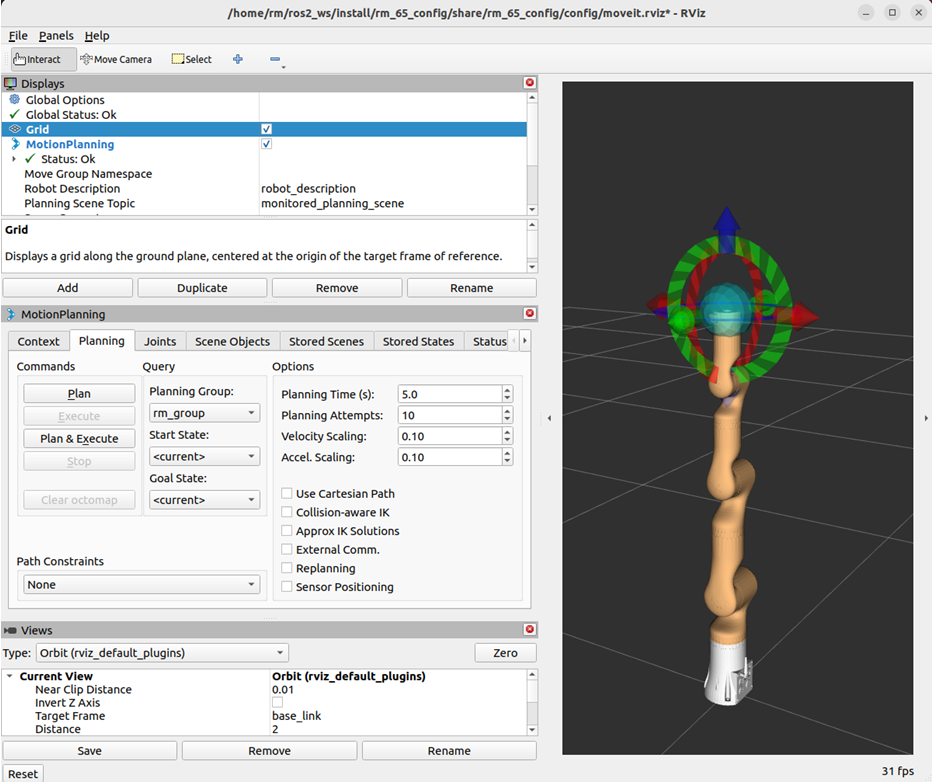
The launch.py file enables the moveit2 to control the real robotic arm. Then, the control ball is available for planning and controlling the motion of the robotic arm. For details, please refer to rm_moveit2_config.
1.2 Control of the virtual robotic arm in the gazebo
The gazebo node can be started directly by running the launch.py file in the rm_bringup package.
TIP
Replace <arm_type> in the command with the actual robotic arm model during practical use.
The command to start the standard version of the manipulator is (Supports 65, 63, 63_III, 75, eco62, eco63, eco65, and rx75):
ros2 launch rm_bringup rm_<arm_type>_gazebo.launch.pyThe command to start the six-axis force version of the manipulator is (Supports 63, 65, 75, and eco65):
ros2 launch rm_bringup rm_<arm_type>_6f_gazebo.launch.pyThe command to start the integrated six-axis force version of the manipulator is (Supports 63, 63_III, 65, 75, eco63, eco65, rx75):
ros2 launch rm_bringup rm_<arm_type>_6fb_gazebo.launch.pyCommand to launch the 6-axis force version robotic arm with vision solution (currently only supports RX75):
ros2 launch rm_description rm_<arm_type>_6fb_v_gazebo.launch.py
For the 65 standard version robotic arm, its start command is as follows:
ros2 launch rm_bringup rm_65_gazebo.launch.pyAfter the node is started successfully, the following screen will pop up. 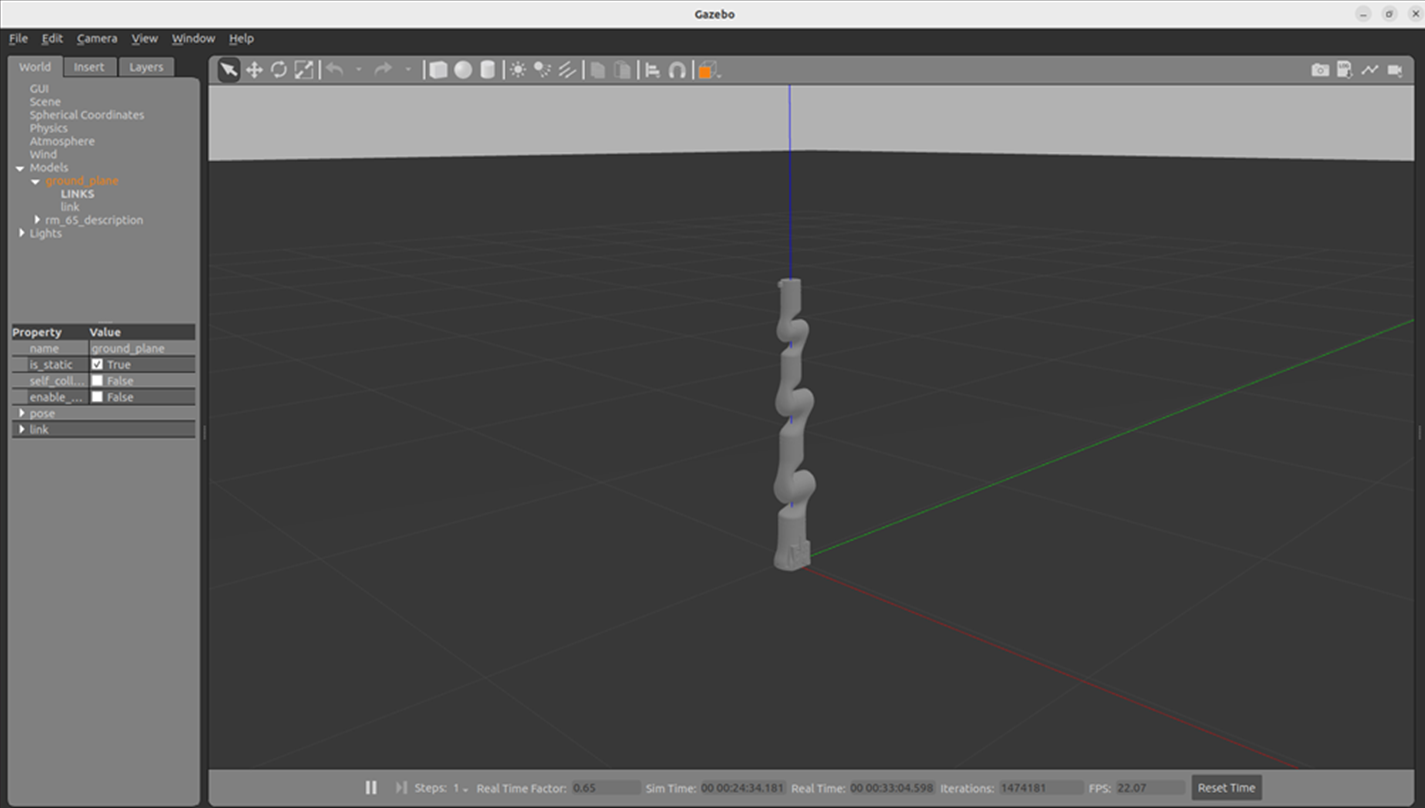
Then, the following command is executed to start moveit2 to control the virtual robotic arm in the gazebo. 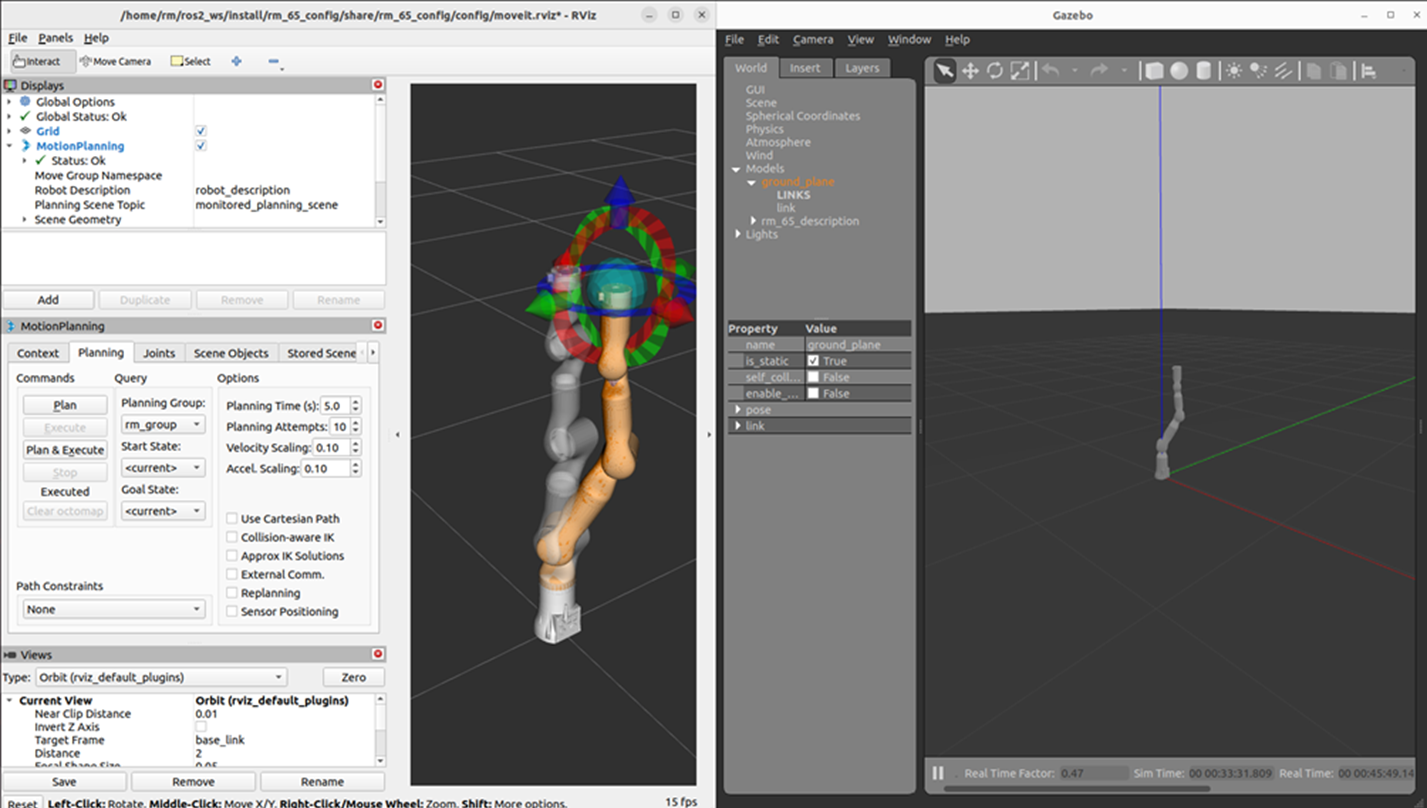
2. Structure description of the rm_bringup package
The current rm_bringup package consists of the following files.
├── CMakeLists.txt                        # Build configuration file
├── doc                                   # Folder for auxiliary documents and images
│   ├── rm_bringup1.png                   # Image 1
│   ├── rm_bringup2.png                   # Image 2
│   └── rm_bringup3.png                   # Image 3
├── launch                                # Launch files
│   ├── rm_63_6f_bringup.launch.py        # MoveIt2 launch file for 63 arm with 6-axis force
│   ├── rm_63_6f_gazebo.launch.py         # Gazebo launch file for 63 arm with 6-axis force
│   ├── rm_63_6fb_bringup.launch.py       # MoveIt2 launch file for 63 arm with integrated 6-axis force
│   ├── rm_63_6fb_gazebo.launch.py        # Gazebo launch file for 63 arm with integrated 6-axis force
│   ├── rm_63_bringup.launch.py           # MoveIt2 launch file for 63 arm
│   ├── rm_63_gazebo.launch.py            # Gazebo launch file for 63 arm
│   ├── rm_63_III_bringup.launch.py       # MoveIt2 launch file for 63_III arm
│   ├── rm_63_III_gazebo.launch.py        # Gazebo launch file for 63_III arm
│   ├── rm_63_III_6fb_bringup.launch.py   # MoveIt2 launch file for 63_III arm with 6-axis force
│   ├── rm_63_III_6fb_gazebo.launch.py    # Gazebo launch file for 63_III arm with 6-axis force
│   ├── rm_65_6f_bringup.launch.py        # MoveIt2 launch file for 65 arm with 6-axis force
│   ├── rm_65_6f_gazebo.launch.py         # Gazebo launch file for 65 arm with 6-axis force
│   ├── rm_65_6fb_bringup.launch.py       # MoveIt2 launch file for 65 arm with integrated 6-axis force
│   ├── rm_65_6fb_gazebo.launch.py        # Gazebo launch file for 65 arm with integrated 6-axis force
│   ├── rm_65_bringup.launch.py           # MoveIt2 launch file for 65 arm
│   ├── rm_65_gazebo.launch.py            # Gazebo launch file for 65 arm
│   ├── rm_75_6f_bringup.launch.py        # MoveIt2 launch file for 75 arm with 6-axis force
│   ├── rm_75_6f_gazebo.launch.py         # Gazebo launch file for 75 arm with 6-axis force
│   ├── rm_75_6fb_bringup.launch.py       # MoveIt2 launch file for 75 arm with integrated 6-axis force
│   ├── rm_75_6fb_gazebo.launch.py        # Gazebo launch file for 75 arm with integrated 6-axis force
│   ├── rm_75_bringup.launch.py           # MoveIt2 launch file for 75 arm
│   ├── rm_75_gazebo.launch.py            # Gazebo launch file for 75 arm
│   ├── rm_eco62_bringup.launch.py        # MoveIt2 launch file for eco62 arm
│   ├── rm_eco62_gazebo.launch.py         # Gazebo launch file for eco62 arm
│   ├── rm_eco63_6fb_bringup.launch.py    # MoveIt2 launch file for eco63 arm with integrated 6-axis force
│   ├── rm_eco63_6fb_gazebo.launch.py     # Gazebo launch file for eco63 arm with integrated 6-axis force
│   ├── rm_eco63_bringup.launch.py        # MoveIt2 launch file for eco63 arm
│   ├── rm_eco63_gazebo.launch.py         # Gazebo launch file for eco63 arm
│   ├── rm_eco65_6f_bringup.launch.py     # MoveIt2 launch file for eco65 arm with 6-axis force
│   ├── rm_eco65_6f_gazebo.launch.py      # Gazebo launch file for eco65 arm with 6-axis force
│   ├── rm_eco65_6fb_bringup.launch.py    # MoveIt2 launch file for eco65 arm with integrated 6-axis force
│   ├── rm_eco65_6fb_gazebo.launch.py     # Gazebo launch file for eco65 arm with integrated 6-axis force
│   ├── rm_eco65_bringup.launch.py        # MoveIt2 launch file for eco65 arm
│   ├── rm_eco65_gazebo.launch.py         # Gazebo launch file for eco65 arm
│   ├── rm_gen72_bringup.launch.py        # MoveIt2 launch file for gen72 arm
│   ├── rm_gen72_gazebo.launch.py         # Gazebo launch file for gen72 arm
│   ├── rm_gen72_II_bringup.launch.py     # MoveIt2 launch file for gen72_II arm
│   ├── rm_gen72_II_gazebo.launch.py      # Gazebo launch file for gen72_II arm
│   ├── rm_rx75_6fb_bringup.launch.py     # MoveIt2 launch file for RX75-6FB dual arm
│   ├── rm_rx75_6fb_gazebo.launch.py      # Gazebo launch file for RX75-6FB dual arm
│   ├── rm_rx75_6fb_v_bringup.launch.py   # MoveIt2 launch file for RX75-6FB-V dual arm with vision
│   └── rm_rx75_6fb_v_gazebo.launch.py    # Gazebo launch file for RX75-6FB-V dual arm with vision
├── package.xml                           # Dependency specification file
├── README_CN.md                          # Chinese documentation
└── README.md                             # English documentation
3. Topic description of the rm_bringup package
The package does not have any topics at present, but it calls the topic from other packages.